Track work.
Not your tracker.
Intake, work, knowledge base, and code, all in one tool. Everything a real team needs, with AI, agents, and MCP connecting the thread between it all.
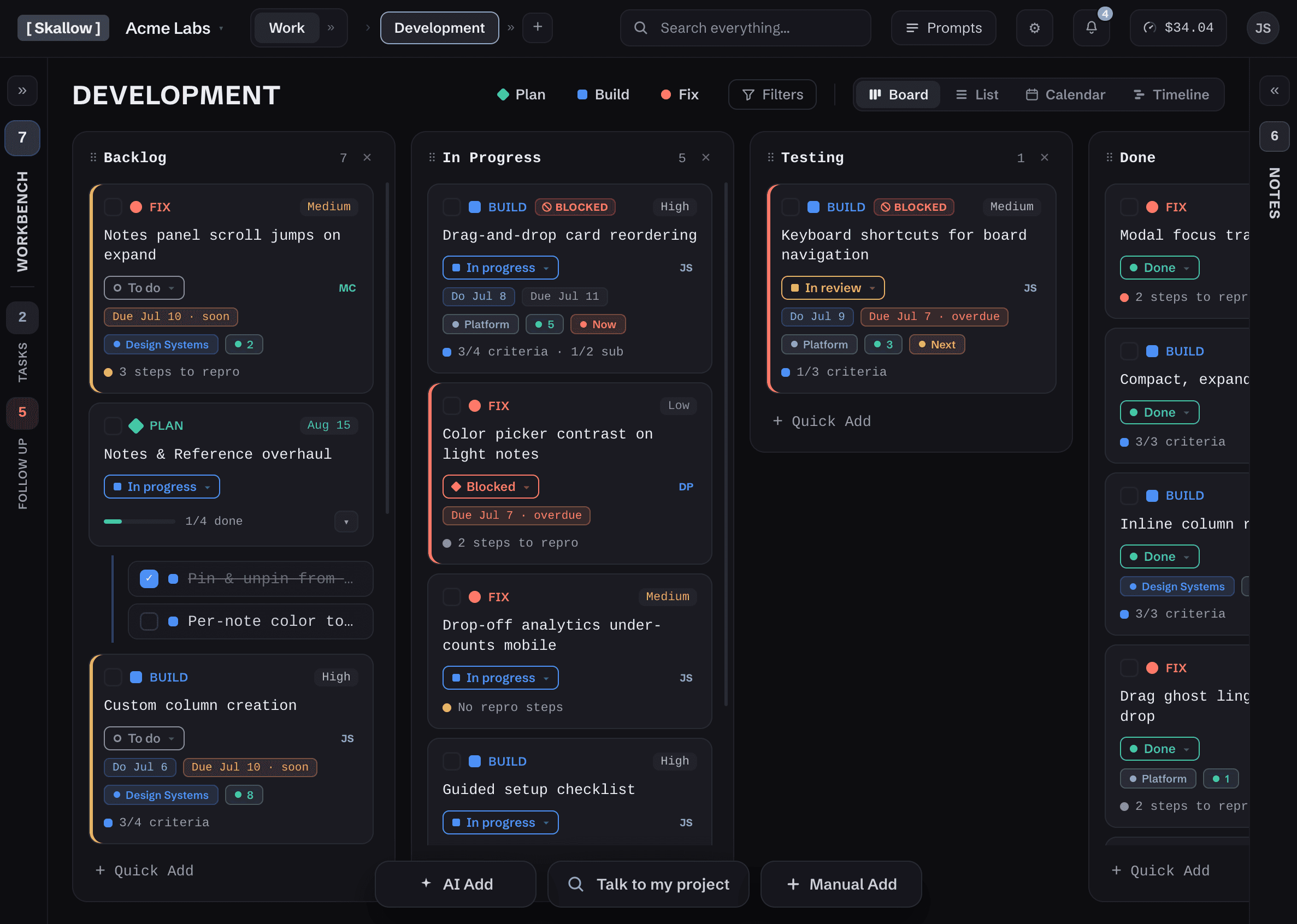
Boards, docs, and reports in one workspace.
Plan work on boards. Write docs that live next to the work. Build reports you actually need. One workspace, so the answer to “where do I find that?” is always “here.”
- Boards that flex from personal to-do list to full product roadmap
- Docs and knowledge base attached to the work, not orbiting it
- Custom reports with live preview — build exactly the view you need
- Shared views you can fork, tweak, and merge back
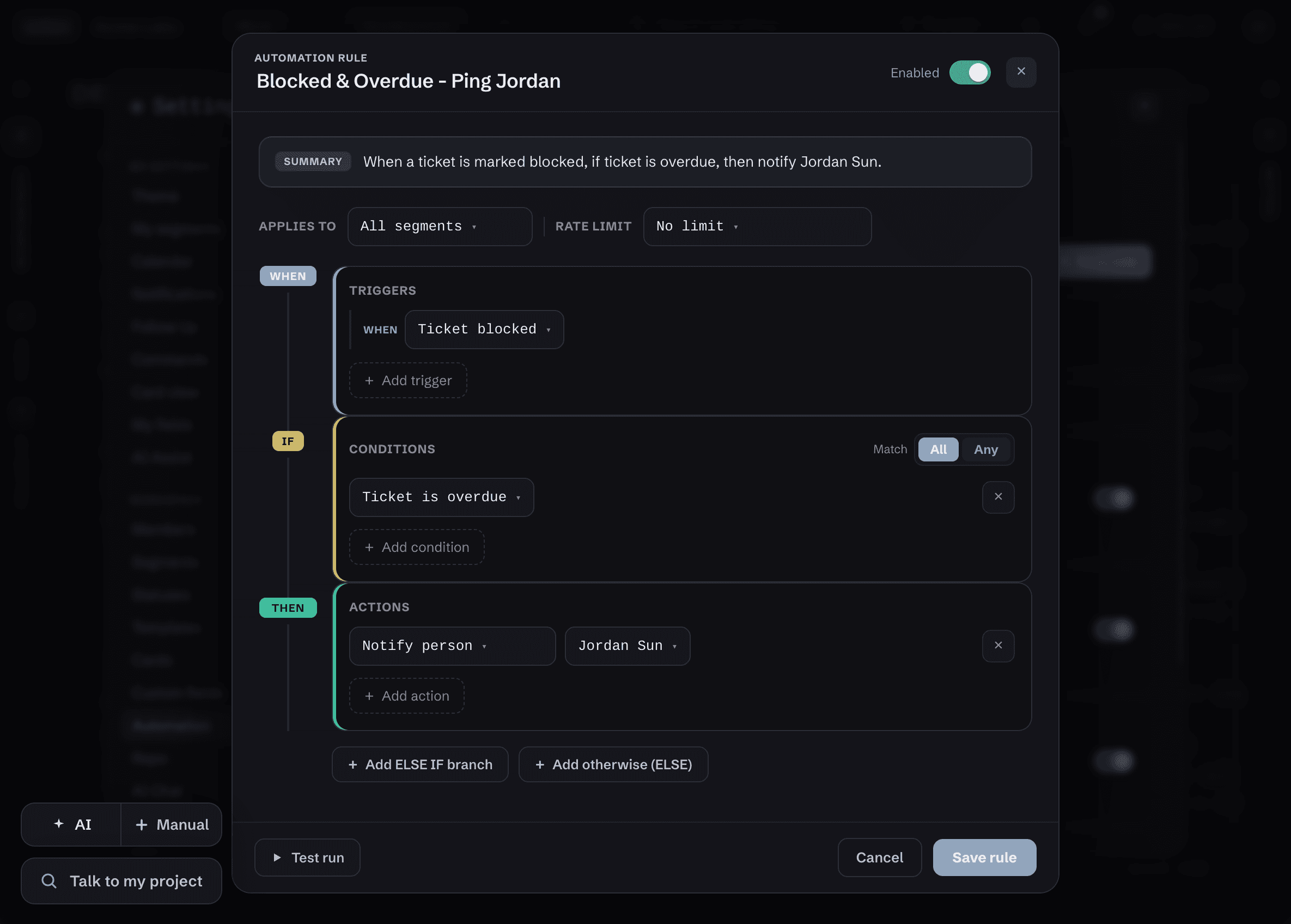
“When an overdue card hits blocked → flag it and notify me.”
Rules read the way you'd say them. Eighteen triggers: schedules, status changes, subtasks completing, code shipping. Branching conditions, a test run before anything goes live, and an audit log of everything the engine did. No scripting required.
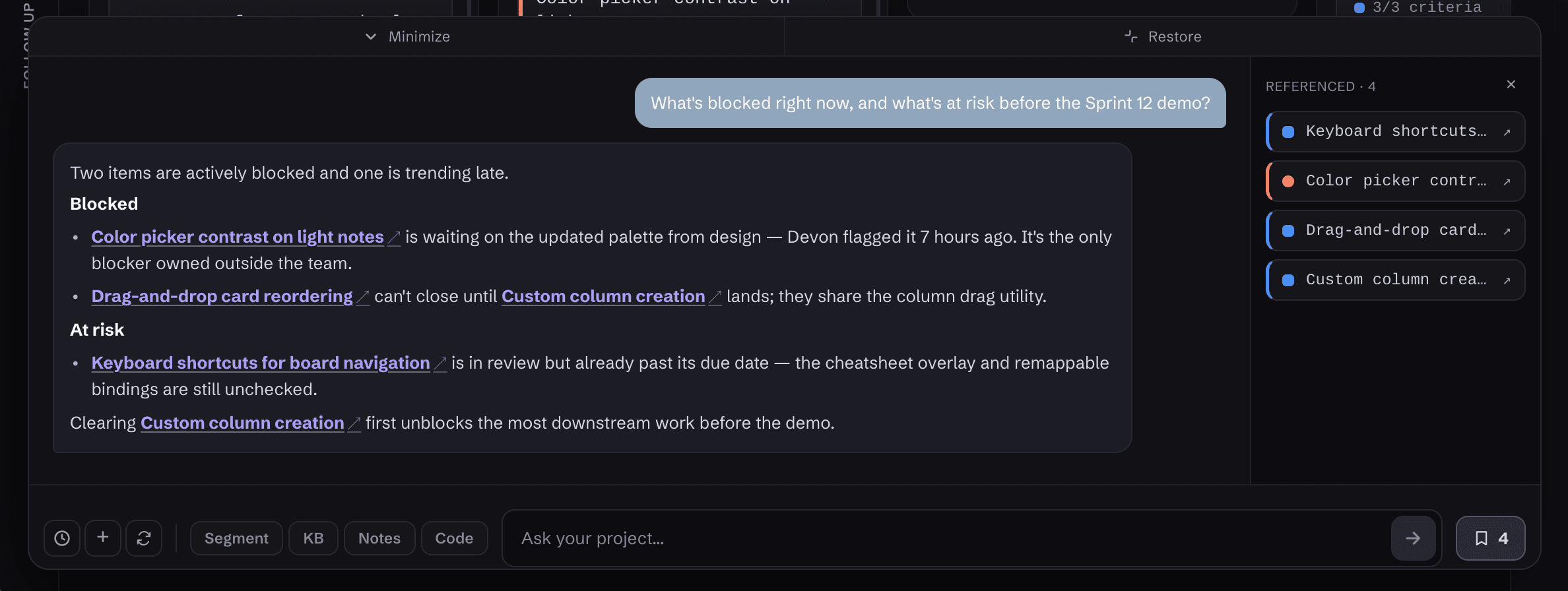
Talk to your code. Talk to your project.
One assistant across everything you keep: cards, docs, and your connected codebase. It can only see what you can see, and every citation points to a real item, checked before it's shown. Close the tab mid-answer and generation stops, along with the metering.
- Grounded in your workspace only. No training on your data.
- Verified citations, every time
- Per-user rate limits — no surprise usage
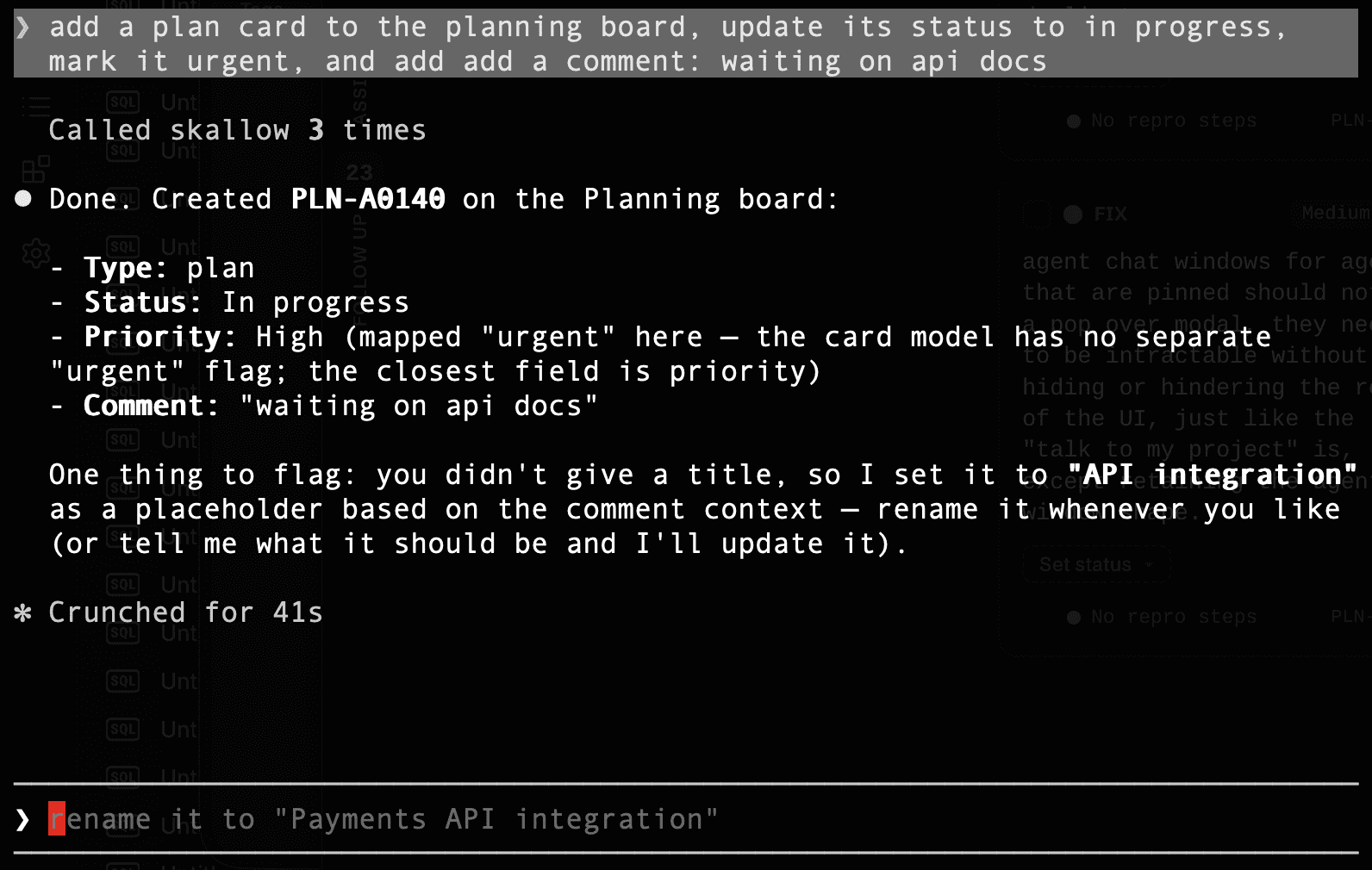
Your coding agent works here too.
Skallow ships an MCP server. Connect Claude Code and “fix DEV-A4044” arrives in the terminal knowing everything: the spec, the criteria, the discussion, the linked PRs. The agent reads the card, does the work, comments, and moves it. You watch it happen on the board.
- Built-in MCP server. No middleware, no glue scripts.
- Reads are scoped to your access. Writes are whitelisted.
- Tokens are hashed, never stored, and die with your membership.
- “Keep out of AI” on a card holds here too. No exceptions.
Give it a role, not the keys.
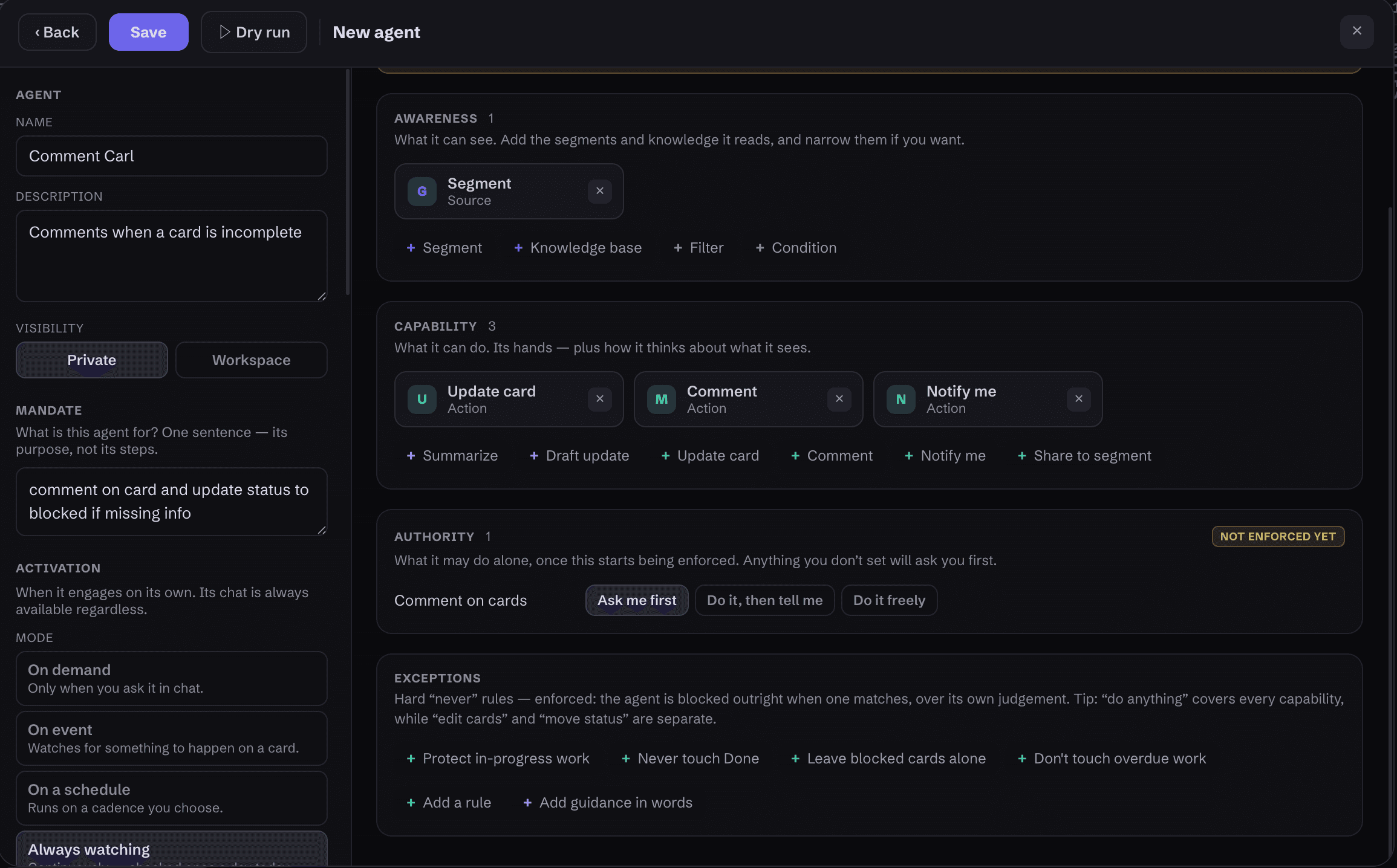
Build an agent like you'd write a job description: what it can see, what it can do, and how much it's trusted with each capability. Ask holds work for your approval. Tell acts and notifies you. Free runs on its own. Hard guardrails it can never cross, optional peer review by a second model, and an audit log where every action can be undone.
- Authority per capability: ask, tell, or free.
- Hard exceptions. “Never X when Y” is a rule, not a suggestion.
- Every action logged. Every action reversible.
- A spend cap per agent that actually stops the agent.
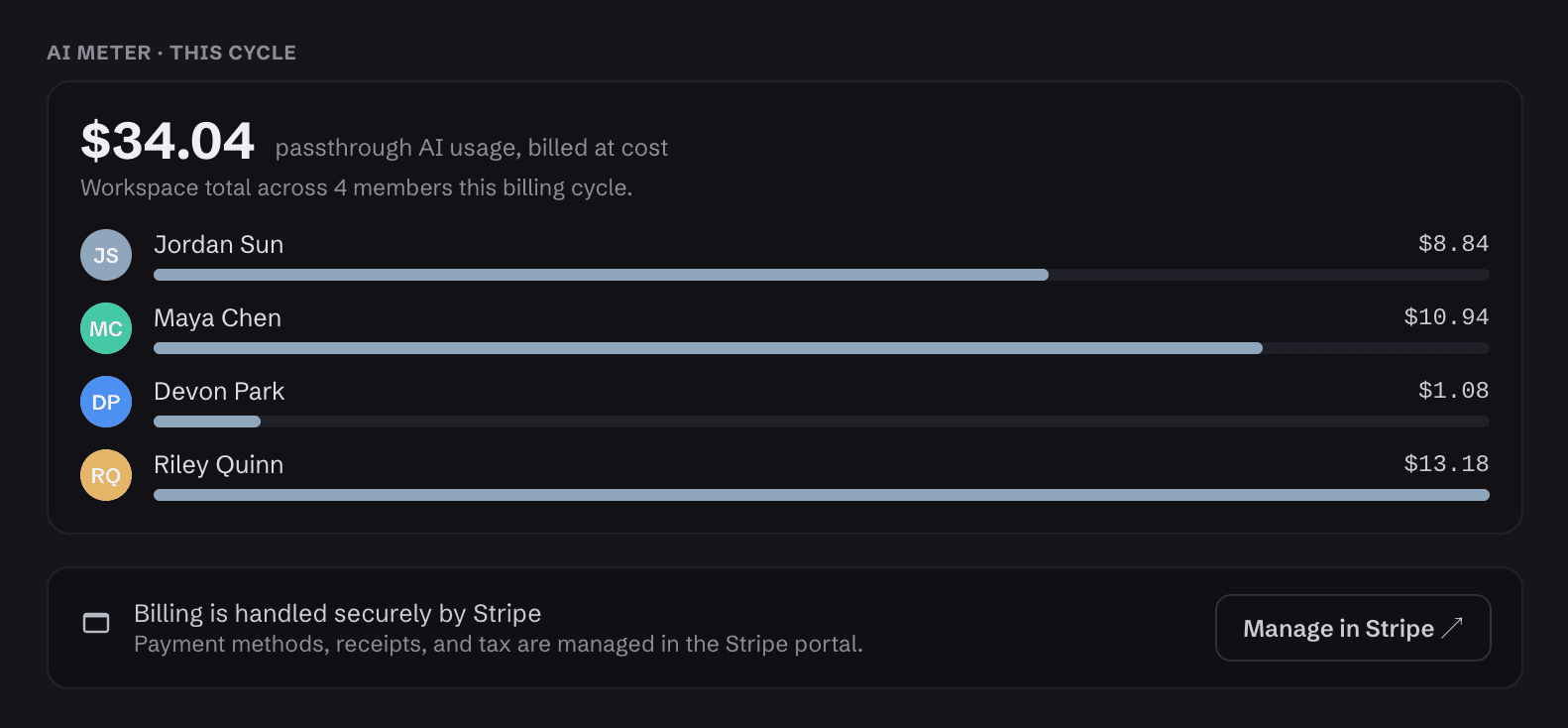
AI billed at what it costs us.
Every AI call is metered by the user. The invoice is our provider cost, to the cent. Set at a monthly cap. Past the limit, AI use stops until you raise your cap or the month turns over.
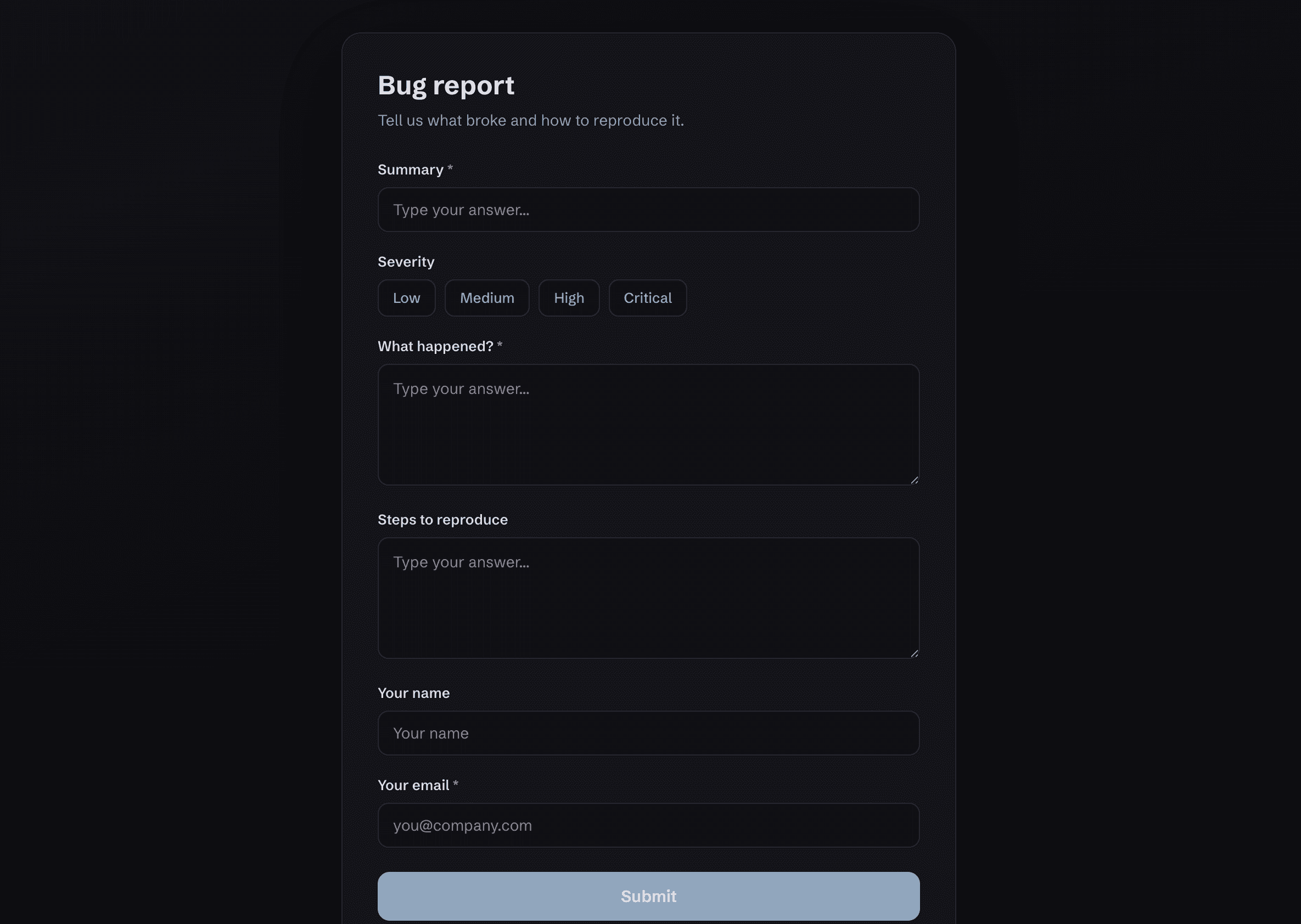
Anyone with the link can submit. No login.
Bug reports, client requests, and ideas from the field land in a triage queue or straight on the board, checked for duplicates on the way in. Rate-limited and isolated to your workspace.
If your work ships as code, the board already knows.
Connect a repo and it syncs both ways. Issues become cards, cards can close issues, pull requests link to the work that shipped them. A sync stamp on every card shows how current it is.
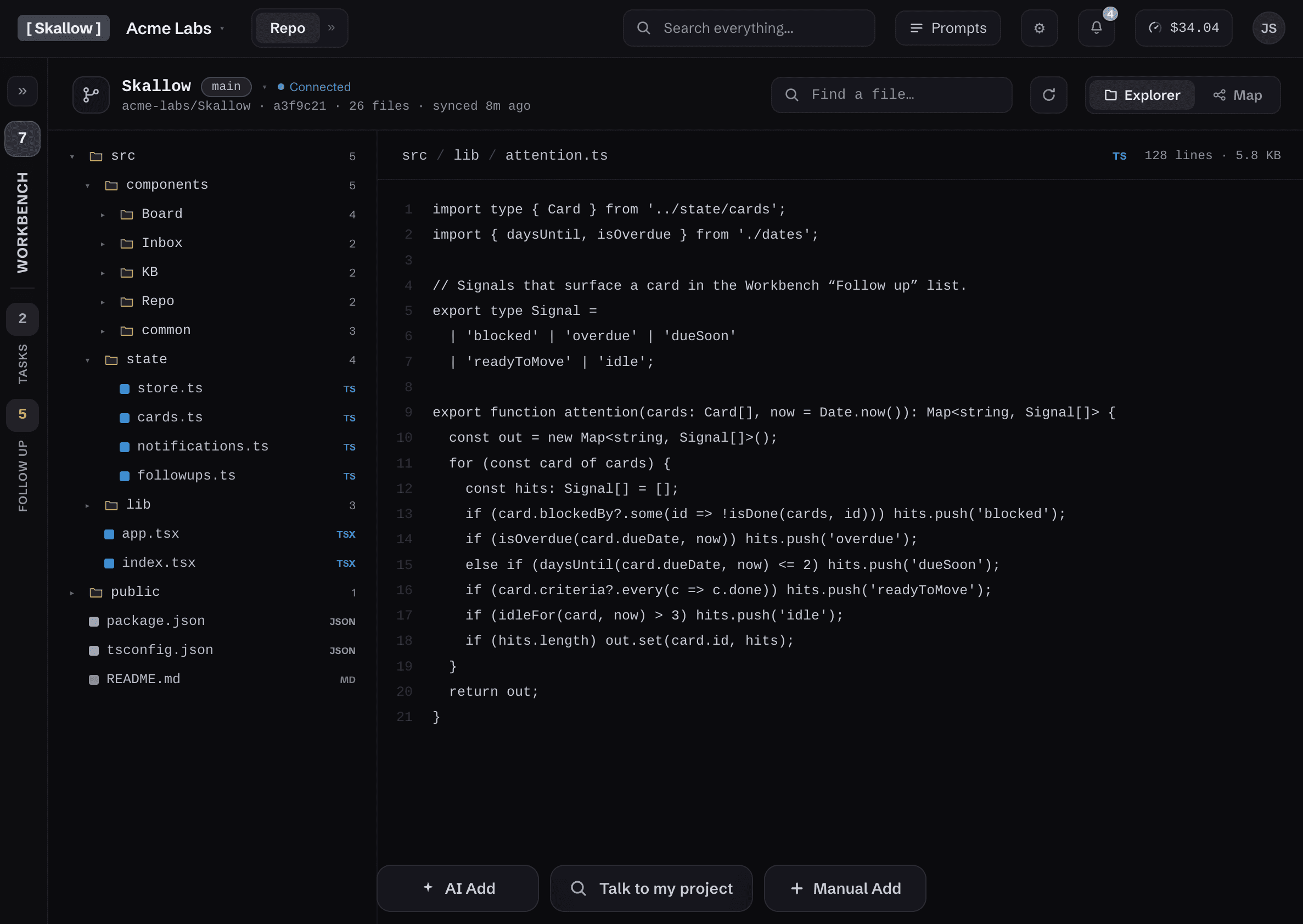
Runs as a GitHub App with short-lived tokens, never stored. Skallow keeps metadata only, never your code.
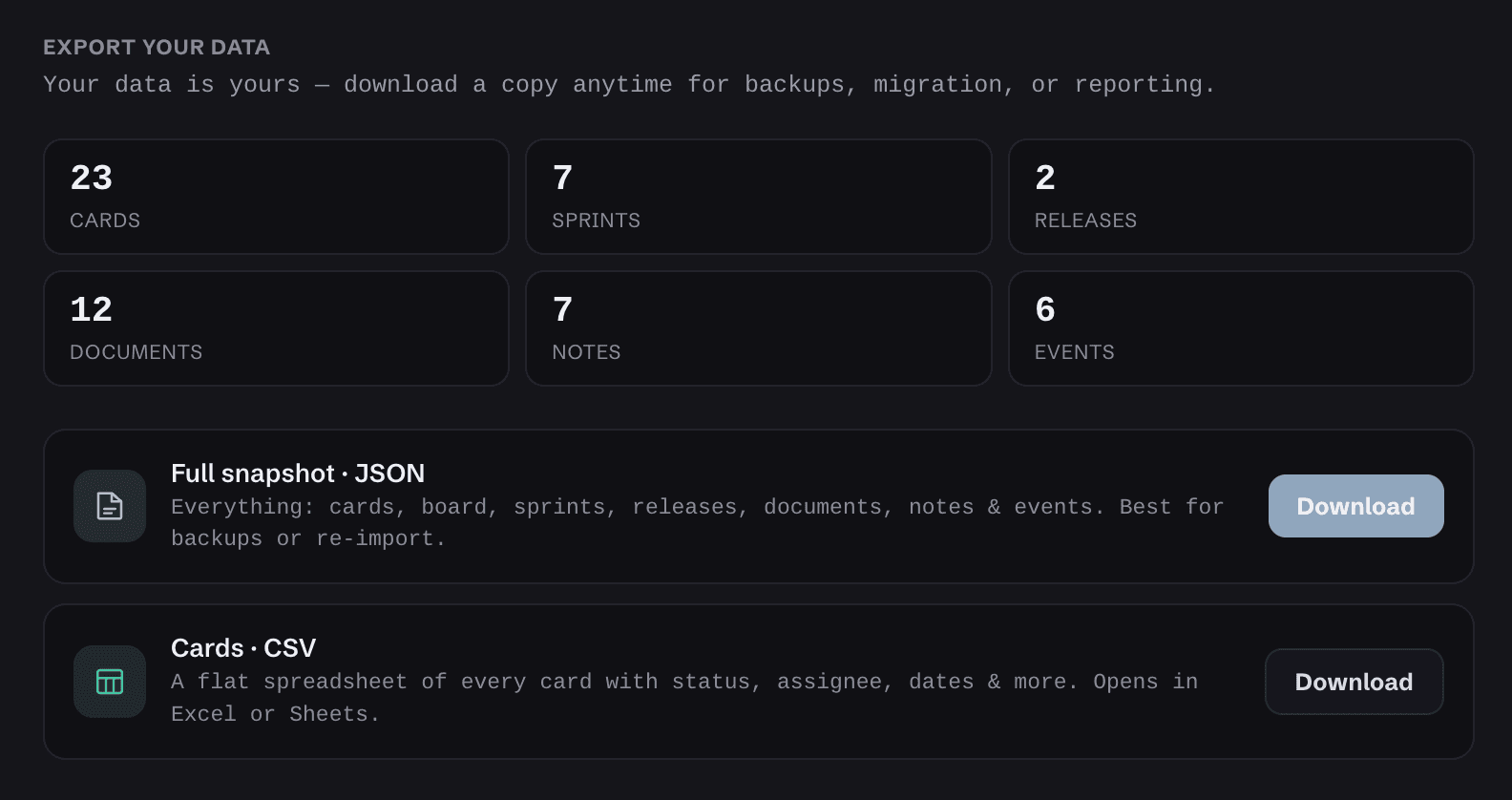
Full export, always.
Everything you made, exportable as JSON and CSV, generated in your browser, saved to your machine. Leaving is easy.
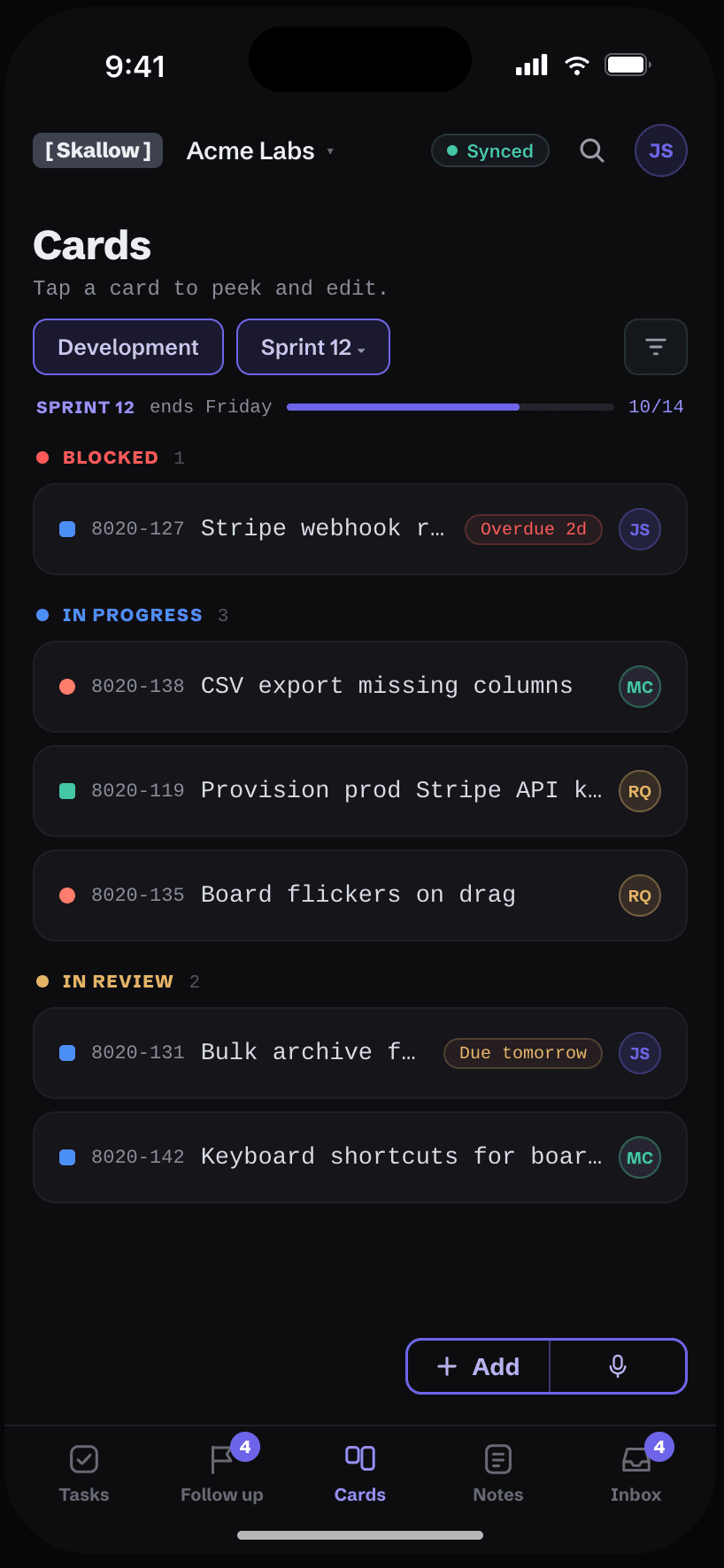
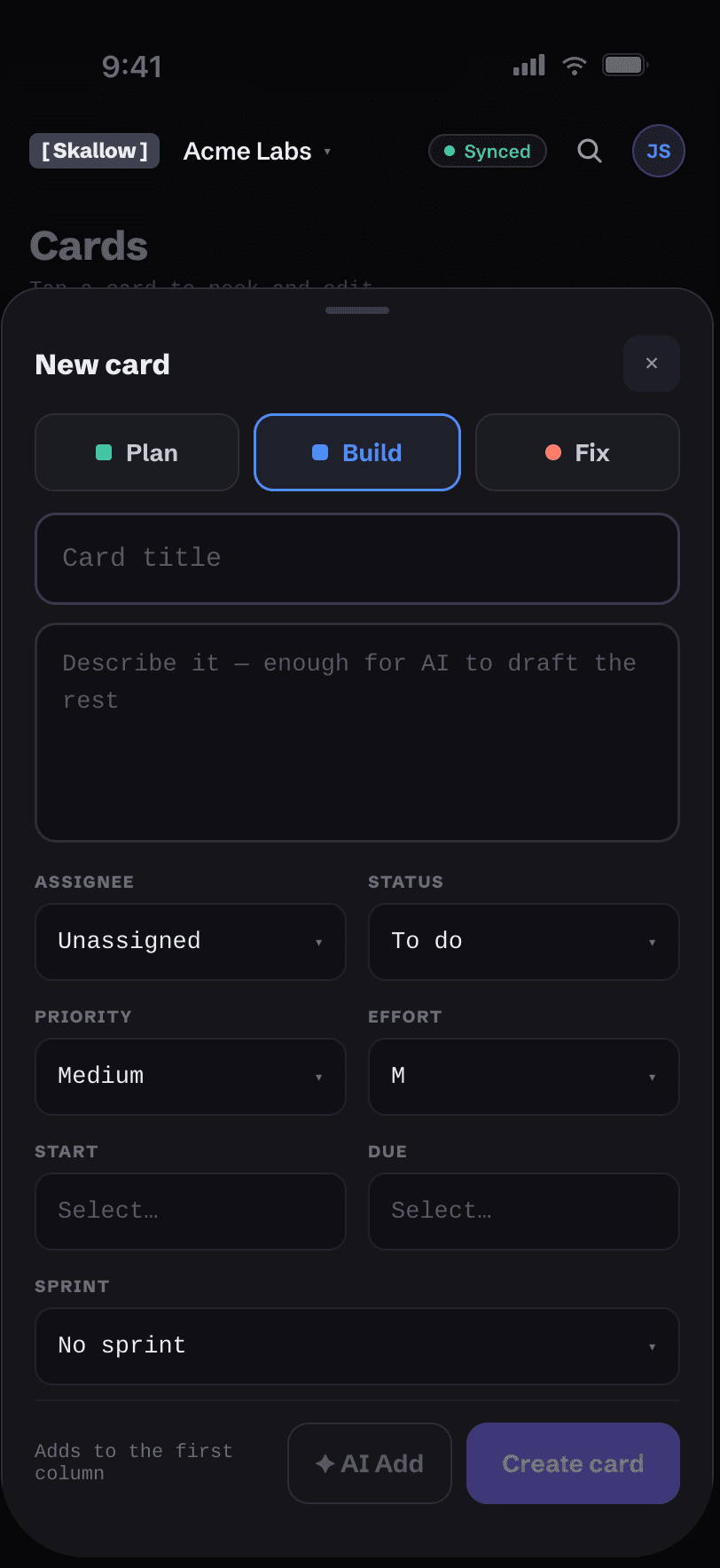
Coming soon: Skallow in your pocket.
Capture a card by voice. Triage follow-ups from your phone. Stay synced when work changes. The mobile companion is in development now.
Keyboard-first
Every action has a shortcut.
Repo explorer
Browse project structure without cloning.
Shared views
Collaborate on shared boards across your team.
Free while in early access.
- Everything included — free for now.
- AI metered to the cent, billed at cost.
- Export everything, anytime.
No per-seat AI charges. Viewers are always free.
Signups coming soon.
Skallow isn't open for new accounts yet. It's still being built out — check back soon.